
Getting started
 New Install
 User Onboarding
 DownloadsWhat's New in 3.0.5
Reference
 Roles
 Features
 Interfaces
 Actions
Guides
 Premiere Pro
 DaVinci Resolve
 Final Cut Pro
 Media Composer
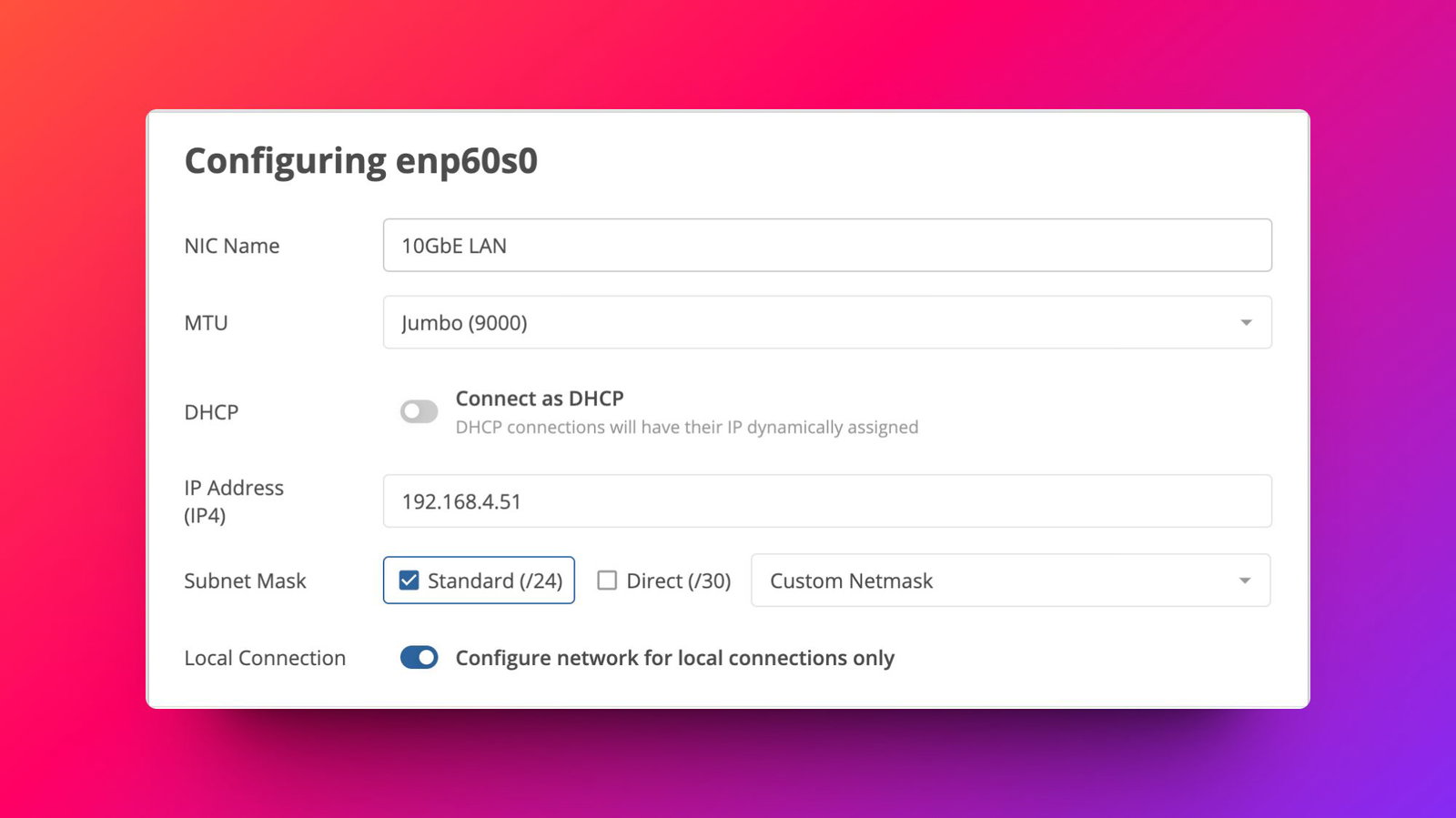
Change Network Port Name
Give each of your network ports a nickname, so you can easily identify them.
Step by Step
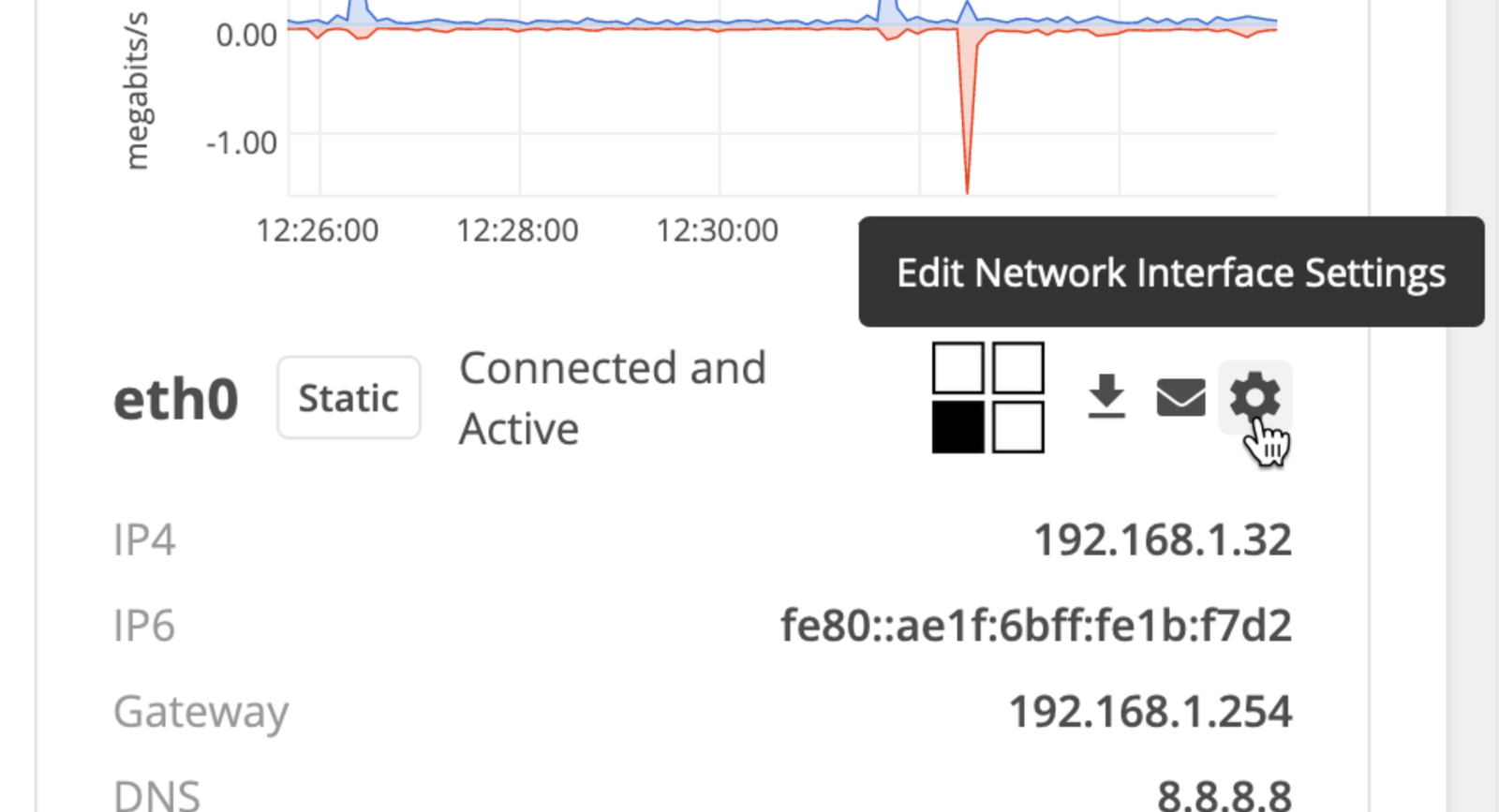
- Go the ‘System’ page of the web app as a ‘System Admin’.
- Find the network port you whose name you want to change, then click the ‘Gear’ icon.
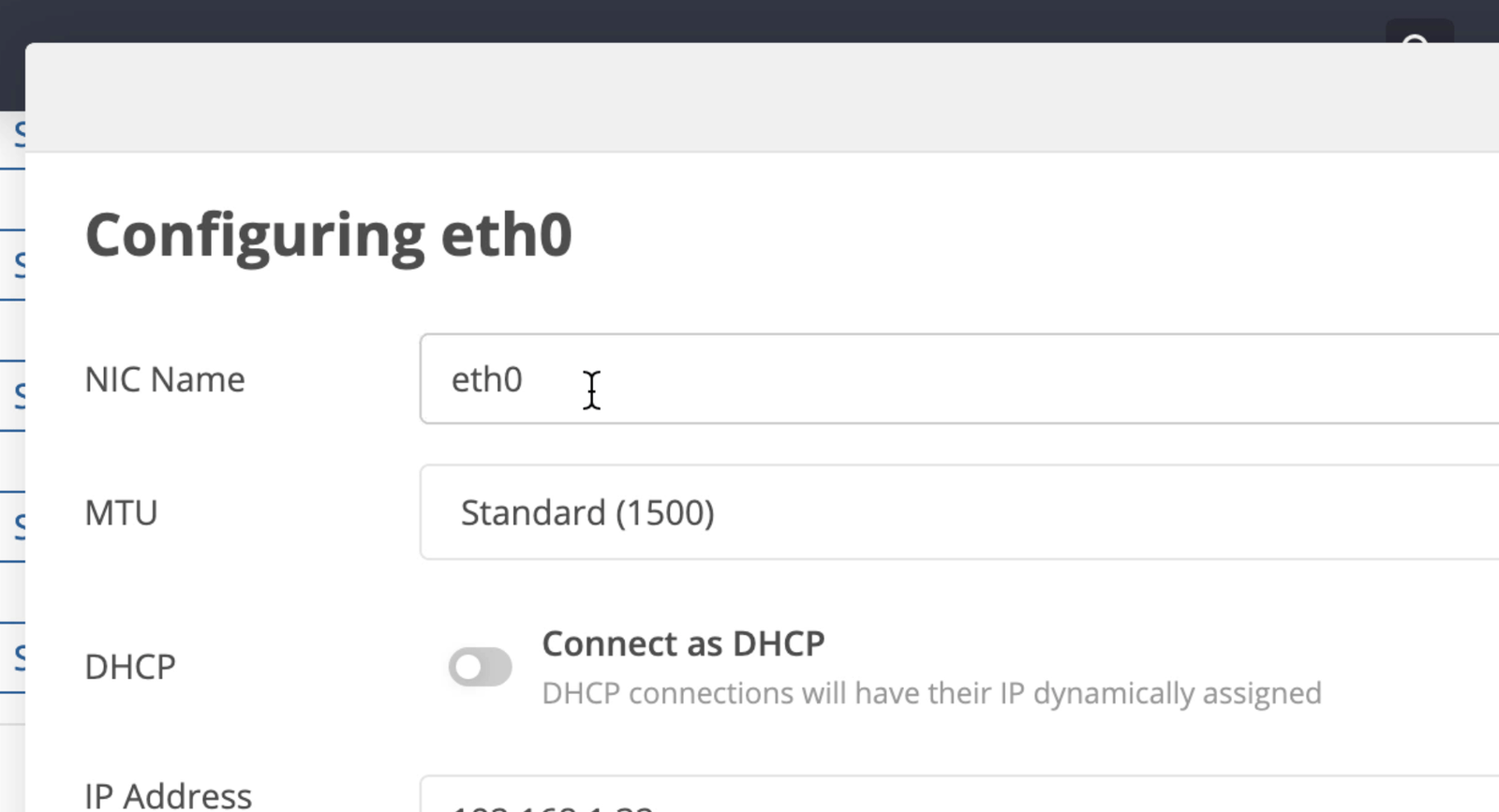
- Enter the name you want to give the network port in the ‘NIC Name’ text box.
- Click ‘Save Network Configuration’.
← Previous
Next →
On this page